Quick answer: Your business website needs a security audit when important controls are unverified, the site has changed substantially or warning signs suggest a gap in access, software maintenance, monitoring or recovery. Ten practical triggers include unknown administrator accounts, unsupported plugins, unexpected redirects, unexplained file changes, weak login protection, unreliable backups, unreviewed third-party integrations, missing security logs, new sensitive workflows and ignored alerts. Not every warning sign means the site has been hacked. Some indicate a preventive control gap. But credible evidence of active compromise calls for timely incident investigation, not merely booking a routine audit weeks later.
A website security audit is a structured review of selected controls and evidence, not a magic malware detector. The scope should match your business: a brochure site, a WooCommerce store and a custom customer portal expose different risks. This guide explains what each warning sign may mean, what harmless checks an owner can make and when to escalate. For a separate list of signs that a compromise may already have occurred, read how to tell if your WordPress website is hacked.
First, understand the difference between risk and evidence of a breach
A plugin that has not been updated for months can increase exposure, but age alone does not prove it is exploitable. A sudden redirect can be caused by an accidental configuration change or by malicious code. An unfamiliar administrator may be an authorized agency account that was poorly documented, or it may indicate unauthorized access. The purpose of an audit is to investigate the relevant evidence and identify controls that should be improved.
The WordPress hardening handbook frames security as risk reduction through appropriate controls, not absolute protection. The Google Search Central malware-prevention guidance recommends checking for unexpected indexed pages, keeping software updated and using Search Console’s Security Issues report. These are useful signals, but they must be interpreted in context.
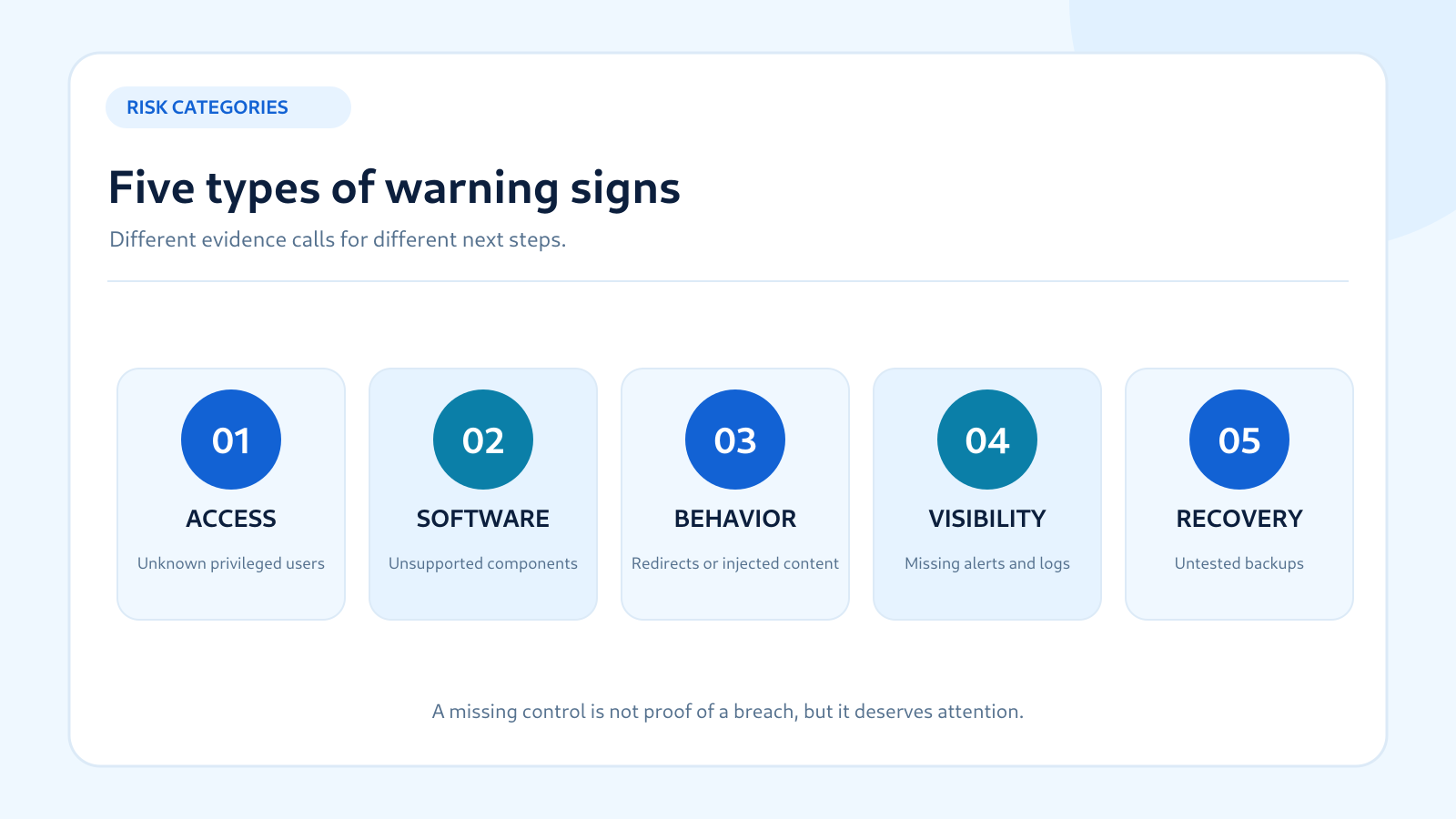
Warning sign 1: You cannot account for every administrator
Open the WordPress user list and review accounts with administrator privileges. Compare each one against a trusted record of staff, agencies, developers and integrations that genuinely require access. Check whether former employees retain access, whether shared administrator logins exist and whether new accounts appeared without an approved request. On multisite installations, also consider network-level Super Admin permissions.
An unfamiliar name is not automatically malicious. Some service providers create administrative accounts during setup, and older accounts may have been forgotten. Verify the owner and purpose before deleting anything. If an account appears unauthorized, preserve the account details and relevant logs, secure trusted access and investigate how it was created. Our administrator account investigation guide covers this process in greater depth.
Audit priority: high when privileged access cannot be explained; urgent incident response when there is credible evidence of unauthorized activity.
Warning sign 2: Plugins, themes or core software are unsupported or poorly maintained
WordPress sites depend on core software, themes and plugins. Unsupported or outdated components can leave known weaknesses unaddressed, particularly when security fixes are available. A security audit should inventory installed components, confirm their sources, check relevant advisories and evaluate whether each component is still needed. Unused software can still increase operational complexity and should be reviewed before removal.
Do not install updates blindly on a revenue-critical site without considering compatibility, but do not delay an important security fix indefinitely either. Maintain backups, use staging where practical and prioritize vulnerabilities according to exposure and impact. The WordPress security documentation emphasizes keeping WordPress, plugins and themes updated. Our plugin vulnerability checking guide explains how to verify known issues rather than relying on rumors.
Audit priority: elevated when unsupported components are exposed or known vulnerable; timing depends on the specific advisory and exploitability.
Tell us about your website and the security concerns you want to address.
Talk to Defendoria ↗Warning sign 3: Visitors encounter unexpected redirects or unfamiliar pages
If a visitor lands on a gambling, pharmaceutical or unrelated website after clicking your link, investigate promptly. Unexplained redirects may arise from compromised scripts, injected rules, malicious plugins, DNS changes or legitimate but mistaken marketing configuration. The cause cannot be determined from the symptom alone. Capture the affected URL, browser, time and conditions without repeatedly visiting potentially harmful destinations.
Also review whether Search Console or a site-restricted Google search shows pages that your team did not create. Google documents the Security Issues report and unexpected indexed pages as useful indicators for site owners. A search result is not a complete forensic record, and cached or stale indexing can complicate interpretation. Correlate it with WordPress content, logs and file changes.
Audit priority: urgent investigation if redirects are malicious or unapproved. See how to investigate WordPress spam redirects.
Warning sign 4: Files, settings or content change without an approved deployment
Unexpected modifications to plugin files, theme templates, scheduled tasks, user roles, DNS or site settings can indicate poor change control or unauthorized activity. Compare the event with the team’s deployment history, recent updates and hosting changes. A file-integrity alert may be harmless after an authorized update; it becomes more concerning when no one can explain the change.
A good audit reviews whether a known baseline exists and whether security-relevant changes are logged. Avoid deleting unfamiliar files immediately, because they may be legitimate dependencies or evidence needed for an investigation. If the site may be compromised, coordinate evidence preservation with the host or a qualified responder. A clean malware scan does not necessarily rule out a compromised account or configuration change.
Audit priority: high for unexplained changes; urgent if there is evidence of malicious code or unauthorized access.
Warning sign 5: Administrator logins lack strong authentication and access controls
Passwords alone can be vulnerable to phishing, reuse and credential theft. A review should check whether privileged accounts use strong, unique credentials and appropriate multi-factor authentication, whether login attempts are rate-limited and whether administrator privileges are limited to people who need them. It should also examine recovery methods so that security controls do not accidentally lock out the legitimate owner.
The WordPress brute-force guidance recommends layered defenses including two-factor authentication and rate limiting. A CAPTCHA or changed login URL is not a substitute for strong account security. If you are unsure how privileged accounts are protected, a focused audit can identify gaps before a credential incident occurs.
Audit priority: high for websites with many administrators, customer data or critical business functions. Our two-factor authentication guide covers setup mistakes.
Warning sign 6: Backups exist, but nobody has verified restoration
Many businesses assume they are protected because a hosting dashboard says “backup complete.” That message does not prove the backup contains the right files and database, can be accessed during an outage or can restore a functioning website. An audit should examine retention, off-site storage, access control, encryption where appropriate and evidence of a successful restoration test.
Consider what happens if the hosting account is unavailable or a compromised administrator deletes local backups. Are copies isolated from ordinary website access? Who has the credentials and authority to restore them? How much recent content or order data could the business afford to lose? The WordPress backup guidance links backup planning to the rate of data changes and acceptable loss.
Audit priority: high when recovery is untested, especially for stores, booking systems and membership sites. This is a preparedness gap, not proof of hacking.
Warning sign 7: Third-party scripts and integrations have not been reviewed
Websites commonly load analytics, chat widgets, payment scripts, marketing tags, maps and API integrations. Each adds functionality but may introduce data flows, credentials and dependencies that the site owner does not fully understand. An audit should inventory these services, identify who maintains them, check permissions and evaluate what happens if an integration changes or fails.
For example, a new checkout script deserves more scrutiny than a static decorative asset because it may operate on a sensitive page. A plugin installed from an unknown source may warrant immediate review of its provenance. Google’s malware-prevention guidance recommends choosing third-party content providers carefully. The goal is not to ban integrations, but to make their risks visible and manageable.
Audit priority: elevated when integrations touch customer data, payments, authentication or privileged access.
Warning sign 8: Nobody monitors security alerts or knows where logs are stored
Security plugins, hosts and CDNs may generate alerts, but a notification is useful only when someone receives, interprets and acts on it. If messages go to an abandoned mailbox, are ignored as noise or cannot be correlated with server logs, the business may have little visibility during an incident. A security audit can map alert sources, recipients, escalation rules and log-retention practices.
The OWASP Logging Cheat Sheet explains the importance of application security events and protected logs for investigation. Logs should be access-controlled and handled carefully because they can contain sensitive information. Ask who can retrieve them, how long they are retained and whether logging failures themselves generate alerts.
Audit priority: high when important business functions have no accountable monitoring process, even if the website currently appears normal.
Warning sign 9: The website now handles more sensitive or valuable activity
A business may begin with a brochure website and later add ecommerce, appointment booking, customer accounts, uploaded documents or subscription billing. That change can make an old security review inadequate even when no suspicious activity has occurred. New user roles, data flows and custom logic deserve targeted assessment before launch or soon after deployment under a safe testing plan.
A WordPress security plugin can identify some common weaknesses, but it may not validate custom authorization rules or business logic. The OWASP Application Security Verification Standard provides a framework for more technical security requirements. A business should choose proportionate testing based on its actual features and obligations rather than assume every website needs the same checklist.
Audit priority: plan a review around major feature launches; deeper authorized testing may be appropriate for sensitive workflows.
Warning sign 10: Important alerts or previous audit findings remain unresolved
A website may have had a security review months ago, yet critical recommendations remain open because no one was assigned to fix them. Another common problem is repeated warnings about the same plugin or configuration with no documented decision. An audit can help establish which findings remain relevant, what compensating controls exist and whether the business is knowingly accepting risk.
Do not pay for another generic report while ignoring the last one. Begin by reviewing previous evidence, remediation tickets and retest results. Assign owners and deadlines for important fixes. If an unresolved finding now appears to be actively exploited, escalate promptly instead of treating it as a routine backlog item.
Audit priority: high for unresolved, exposed and consequential findings; the urgency depends on current evidence and business impact.
How to decide between an audit and incident response
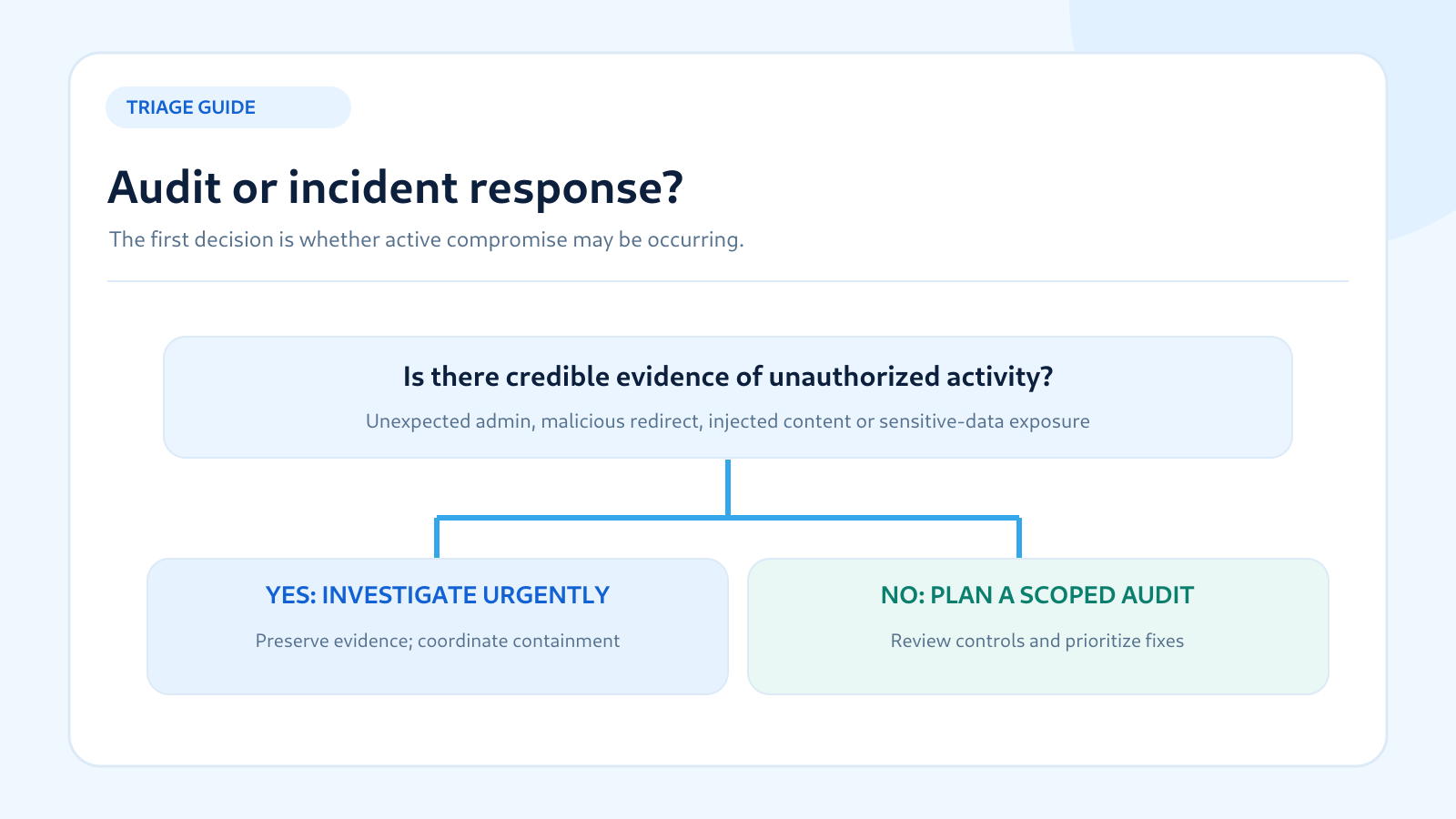
When the warning is a preventive gap—such as missing multi-factor authentication, untested backups or unclear vendor ownership—a scoped audit and remediation plan may be the right response. When there is credible evidence of malicious redirects, unauthorized administrator activity, injected code or possible data exposure, prioritize an incident investigation. The first goal is to understand and contain the situation safely while preserving relevant evidence.
A vulnerability scan can assist with known weaknesses, but it cannot prove whether an attacker has accessed the site. A penetration test may help validate a suspected weakness in an authorized environment, but it is not automatically a substitute for forensic investigation. Our comparison of audits, scans and penetration tests explains their different purposes.
Do not make sweeping changes before recording what happened. Deleting files, resetting every account or reinstalling plugins can disrupt the business and remove evidence. If sensitive information may be involved, consult appropriate security, legal and hosting professionals about containment and notification duties.
Four safe first steps for website owners
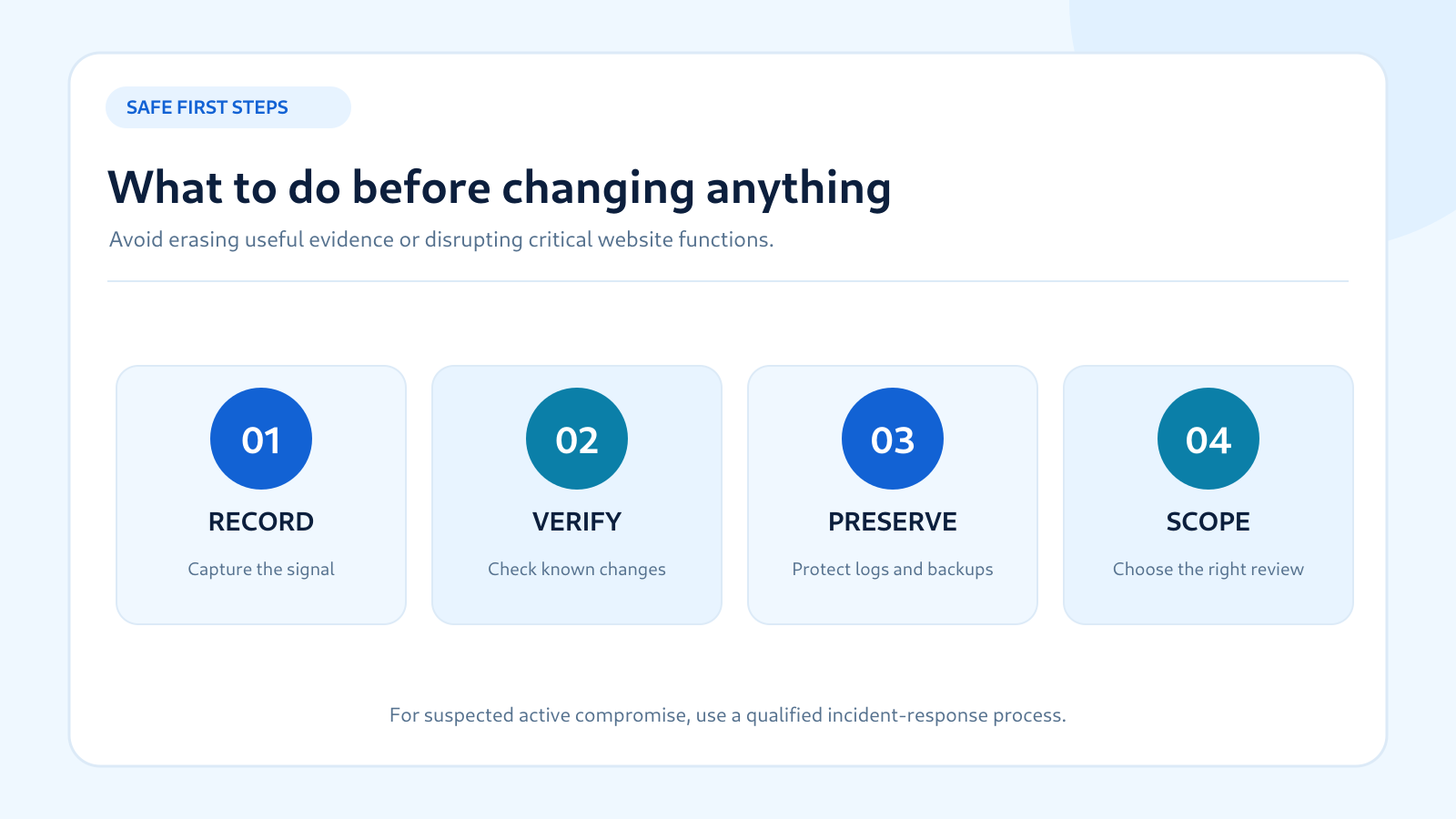
1. Record the observation. Write down the URL, time, affected feature, screenshot if safe, exact warning message and who noticed it. Avoid downloading suspicious files or repeatedly opening malicious redirects. Preserve existing logs and alerts according to the organization’s policy.
2. Compare against authorized changes. Ask whether a developer, agency, host or marketing team recently updated the site. Review deployment notes and administrator changes. An authorized change may explain the symptom, but do not dismiss a serious warning without verification.
3. Protect recovery options. Confirm that backups exist and are accessible, and avoid overwriting potentially useful recovery points. Do not restore an old backup over the live site before understanding whether it is clean and what data would be lost.
4. Choose the appropriate scope. For preventive gaps, request an audit covering accounts, software, hosting, monitoring and recovery. For possible compromise, engage qualified incident-response support and coordinate with the host. Clearly authorize any active security testing.
What a useful security audit should deliver
A good report should identify what was examined, what evidence was available, which findings were confirmed and which remain uncertain. It should rank issues by business impact and exposure, not only by a scanner score. For each important finding, ask for an affected component, explanation, safe remediation guidance, owner and a way to verify the fix.
The audit should also document limitations. If the assessor did not review hosting logs, custom code or third-party payment integrations, the report should say so. A clean result for the selected checks is not a guarantee that the entire website is secure. The OWASP Web Security Testing Guide is a useful methodology reference for defining more technical testing where appropriate.
After the audit, assign work rather than filing away the PDF. Prioritize high-impact issues, test changes safely and confirm that remediation was effective. Review whether ongoing monitoring, backups and access procedures need improvement. For an overview of assessment deliverables, see our website security audit checklist.
When should you schedule a review if no warning signs are visible?
Absence of visible symptoms does not prove that all controls are effective. A risk-based periodic review is useful even when the site appears healthy, especially after meaningful changes. A relatively static business website may start with a comprehensive review every six to twelve months, while more complex or business-critical sites may benefit from more frequent targeted checks. These are illustrative planning intervals, not universal requirements.
Continue handling important security updates and alerts between reviews. For a more detailed scheduling framework, read how often to conduct a website security audit. The right cadence depends on changes, exposure, data sensitivity, internal response capacity and any applicable contractual obligations.
Frequently asked questions
Does an outdated WordPress plugin mean my site is hacked?
No. Outdated software may increase risk, particularly if a relevant vulnerability is known, but it does not prove exploitation. Check authoritative advisories, assess exposure and update safely. Investigate separately if there are signs of unauthorized activity.
Can a clean malware scan mean no audit is needed?
Not necessarily. A scan can miss account-management, backup, configuration, business-logic or third-party integration gaps. A security audit reviews broader controls and evidence within a defined scope.
Are unexpected redirects always caused by malware?
No. They can result from legitimate but incorrect configuration, marketing rules or compromised code. Document the behavior and investigate the cause. Redirects to suspicious destinations deserve prompt attention.
Should a small business website have a security audit?
A focused audit can help establish whether software, administrator access, backups and monitoring are managed appropriately. The scope should match the site’s complexity and business impact rather than assume that every small business needs the most intensive testing.
What is the most urgent warning sign?
Credible evidence of active unauthorized access, malicious content or potential sensitive-data exposure is generally more urgent than a routine configuration gap. The response should be based on evidence and business impact, with incident-response support where appropriate.
Can a website security plugin replace a professional audit?
A plugin can provide valuable monitoring and detection, but it may not evaluate operational controls, recovery readiness or custom business logic. Some providers combine tools and expert review. Compare the actual features and responsibilities.
Will a security audit fix the problems it finds?
Not always. Many audit engagements provide findings and recommendations only. Ask whether remediation, retesting and incident assistance are included in the scope, and who will implement changes.
What if I cannot identify the owner of an administrator account?
Preserve its details and relevant logs, check with trusted staff and vendors, and investigate promptly. Do not delete it blindly if it may be tied to a legitimate integration or if doing so would destroy evidence. Seek help if unauthorized access is plausible.
Can a security audit guarantee better Google rankings?
No. Addressing malware and security problems can help restore a trustworthy site, but search rankings and AI citations are not guaranteed. Google’s Search Console can help identify some security issues, while indexing and ranking depend on many factors beyond a security audit.
Bottom line: act on evidence, not just a checklist score
These ten warning signs fall into two groups: potential incident indicators that may require urgent investigation, and preventive gaps that justify a structured security review. Neither should be ignored. Record what you observe, verify authorized changes, protect recovery options and choose a review scope that addresses the website’s actual risks.
For help evaluating the gaps, see Defendoria’s website security audit service, WordPress security services or contact Defendoria. If the website may already be compromised, describe the symptoms clearly so that incident-response needs are considered before a routine audit is scheduled.
References and further reading
- WordPress Developer Resources — Hardening WordPress: platform security controls and recovery preparation.
- WordPress Developer Resources — Brute Force Attacks: login protections and multi-factor authentication.
- WordPress Developer Resources — Backups: backup planning and restoration considerations.
- Google Search Central — Preventing Malware Infection: Search Console signals and preventive steps.
- OWASP Logging Cheat Sheet: security event logs and alerting.
- OWASP Application Security Verification Standard: application control verification.
Editorial review: October 29, 2026. The warning signs are decision aids, not a diagnosis of any particular website. Preserve evidence and seek qualified assistance when an active security incident is suspected.
This is general educational guidance, not a security assessment of a specific website. Obtain authorization before any technical testing.