
Visitors land on an unfamiliar website
Unexpected redirects may have several causes. Record where and when they happen.
Website malware removal and recovery
Unexpected redirects, suspicious files or a browser warning? Get a clear recovery conversation focused on the cause and your website’s next steps.

Start with the evidenceUnderstand symptoms before changes
Recover with a planAccount for data and critical functions
Check what remainsDocument verification and follow-up
Unexpected behaviour deserves investigation. It should not be treated as proof of a particular cause before the evidence is reviewed.
Unexpected redirects may have several causes. Record where and when they happen.
The exact wording and affected URLs help distinguish the warning and plan the response.
Preserve relevant details and arrange an authorized investigation into what changed.
A recurring symptom may mean that an access path, persistence mechanism or dependency still needs attention.
Explore the recovery questions behind common symptoms. Choosing one carries it into the enquiry form.
Redirects may depend on the visitor, device or route into the site. Useful observations help guide the investigation.
We discuss the affected pages, relevant changes and the evidence available before proposing cleanup.
A search label and a browser safety warning are not interchangeable. The report and affected pages matter.
The recovery plan addresses the underlying website issue before discussing any appropriate review request.
Removing one visible file may leave other unauthorized changes or access paths in place.
An agreed recovery engagement can examine the available evidence, plan cleanup and identify related maintenance priorities.
Unknown administrator accounts or lost access can complicate recovery. Existing evidence and legitimate ownership need to be understood.
We coordinate the access required for the incident scope with you and, where needed, your host or development team.
Choose a concern to carry it into your enquiry. This service guide does not scan or test your website.
The platform, integrations and business impact help determine the right scope and people to involve.
Investigate unauthorized content and behaviour while accounting for legitimate pages, forms and publishing workflows.

Consider extensions, users, hosting and changing orders or membership data during recovery planning.
Agree client authorization, technical contacts and who owns communication throughout the work.
A clear way forward
The exact work depends on the incident evidence and the recovery scope you authorize.
Discuss symptoms, legitimate ownership, immediate concerns and the systems in scope.
Review relevant evidence and identify the unauthorized changes and possible access paths.
Carry out agreed cleanup and access or configuration changes with appropriate safeguards.
Recheck the agreed environment and functions, record limitations and plan follow-up responsibilities.
The handover should explain the work and support the next recovery or maintenance decision.
The environment reviewed, material observations and authorized remediation performed.
The agreed checks completed after cleanup and any limits on what could be confirmed.
Outstanding changes, provider dependencies and work needing another scope.
Recommended monitoring, account review and maintenance ownership after recovery.
RECOVERY HANDOVER
A recovery handover connects symptoms, verified changes and next actions, not just a scanner result.

WHAT THE HANDOVER SHOULD CLARIFY
Document symptoms, files, users and redirects within scope.
Explain confirmed findings and any remaining unknowns.
Document approved cleanup and affected site functions checked.
Record outstanding verification, ownership and prevention decisions.
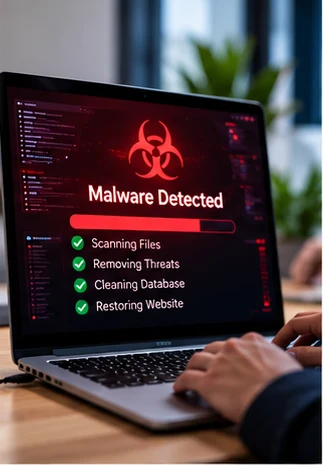
Illustrative recovery workflow. Exact findings depend on authorized scope.
A website incident can involve responsibilities beyond the affected application. We make those boundaries clear.
| Area | Discussed in this service | Agreed separately when needed |
|---|---|---|
| Website recovery | Investigation and remediation of the environment specified in the engagement. | Separate websites, endpoints, email accounts or third-party systems outside the scope. |
| Verification | The post-cleanup checks and functionality agreed for the recovery. | A guarantee that every threat is removed or that future compromise cannot occur. |
| External warnings and obligations | Guidance on relevant website review steps where appropriate. | A guaranteed search-provider outcome, legal advice or regulatory incident management. |
Incident recovery and continuing maintenance solve different problems and should each have a defined scope.
For a website showing suspicious behaviour or unauthorized changes that need investigation.
For teams ready to discuss maintenance and review responsibilities after the incident work.
A store with an affected checkout needs planning around orders, payment providers and connected services.
Before we start
Share observations, not credentials. Avoid deleting evidence simply to make the symptom disappear.
Provide the URL and examples of where the issue appears.
Mention redirects, warnings, unexpected content or unfamiliar accounts.
Updates, migrations and earlier cleanup work can help establish the background.
Tell us who can coordinate hosting, development and authorized access.
Read about safe cleanup and the reasons an issue can return after a visible symptom has been removed.
Quick answer: To remove malware from WordPress safely, protect visitors, preserve a snapshot and relevant logs, determine how the compromise occurred, remove unauthorized files and…
Quick answer: WordPress malware often appears to return because the cleanup removed a visible malicious file or redirect without removing the underlying access path. Possible…
A clear scope and realistic expectations help everyone handle an incident more effectively.
We can discuss an authorized investigation and cleanup scope for the affected environment. The proposed work depends on the platform, available access and evidence. We do not diagnose the cause from a URL alone.
Timing depends on the compromise, access, backups, dependencies and verification work. We agree a realistic plan after initial scoping rather than promising a fixed recovery time for an unseen incident.
A restore can be part of recovery, but the source, integrity and age of the backup matter. Any underlying access path or vulnerable component also needs consideration, and recent legitimate data may need to be preserved.
We can discuss the relevant website remediation and review process. The external provider decides the outcome and timing of its review, so removal cannot be guaranteed.
No. This enquiry form records a request for follow-up. If critical services or sensitive customer systems may be affected, involve your hosting provider and appropriate incident-response contacts promptly.
The affected URL, a description of symptoms, when they began and the people authorized to coordinate the work. Credentials and system access are arranged separately after authorization.
Describe what has changed and the impact on your website. We will use the enquiry to discuss authorization, scope and a practical recovery plan.
This form records an enquiry; it is not an emergency hotline.
Tell us what is happening on your website.