
Checkout relies on several extensions
Payment, tax, shipping and subscription components need coordinated maintenance.
Security for WooCommerce stores
Review the security behind your storefront, staff accounts and integrations with a plan that accounts for real orders and customer journeys.

A store-focused reviewCheckout, extensions and staff access
Careful change planningAccount for current orders and data
Clear provider boundariesKnow who owns each part
The storefront, staff accounts, extensions and connected services all play a part in how your store operates.
Payment, tax, shipping and subscription components need coordinated maintenance.
Store roles and account ownership should match the work people need to do.
A useful plan accounts for orders, stock, customer accounts and a sensible rollback route.
Restoring older data can affect legitimate transactions and connected systems.
Choose a concern to see how a store-focused review can be scoped. Your choice follows you into the enquiry.
Checkout brings together the website, payment provider and other integrations. The scope needs to identify which parts can be assessed.
We consider relevant store configuration and the controls around agreed customer journeys.
WooCommerce extensions can interact with custom code and other components. Updating one part can affect another.
We review the agreed component set and define maintenance priorities with compatibility and rollback in mind.
Store managers, administrators, support teams and developers may all need different capabilities.
The review considers role ownership, privileged access and relevant authentication arrangements.
A store can change between a backup and a restore. Recovery decisions need to account for legitimate data created in that interval.
We review backup arrangements and discuss how store-specific restoration responsibilities would be handled.
Choose a concern to carry it into your enquiry. This service guide does not scan or test your website.
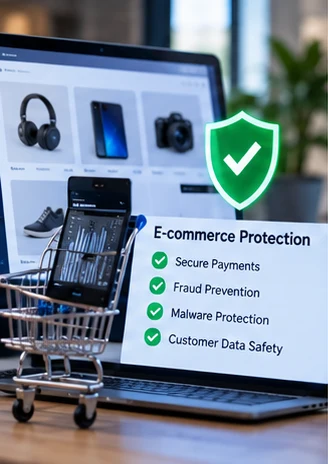
The scope should reflect how your business sells, takes payments and serves customers.
Review store access, extensions and maintenance responsibilities as the setup becomes more complex.

Consider recurring payments, customer entitlements and the dependencies behind continuing access.
Coordinate security work with developers, hosting providers and the people responsible for commerce operations.
A clear way forward
The review and any included changes are planned around your platform and customer journey.
Discuss the setup, integrations, symptoms and functions that matter to the business.
Assess relevant access, software, configuration and recovery arrangements.
Agree included changes, staging, approvals and provider dependencies.
Check agreed store journeys and document completed work, limits and next responsibilities.
The handover should help the business and development team act without losing the commerce context.
Relevant observations about agreed extensions, access, configuration and dependencies.
Recommendations that account for store impact, provider involvement and implementation constraints.
Included work completed and the agreed journeys checked afterwards.
Backup considerations and the responsibilities that remain with your team and providers.
STORE-AWARE SECURITY FINDINGS
A WooCommerce review should respect payment integrations, customer flows and store operations.

WHAT THE HANDOVER SHOULD CLARIFY
Document checkout integrations and critical extensions.
Clarify users and roles with store administration access.
Plan staging, backup and maintenance around trading hours.
Highlight priorities, operational trade-offs and follow-up.
Illustrative store workflow. No PCI compliance certification is implied.
Commerce security involves systems that may sit outside the website itself.
| Area | Discussed in this service | Agreed separately when needed |
|---|---|---|
| Website review | Agreed store, extension, account and configuration review. | Payment-provider infrastructure or third-party systems outside your authorization. |
| Verification | Agreed checkout and customer-journey checks using appropriate methods. | Live purchases, refunds, subscription changes or transaction testing not explicitly authorized. |
| Compliance and response | Technical observations within the agreed store scope. | PCI certification, legal compliance assurance or incident recovery unless separately commissioned. |
A focused review can address immediate questions. Continuing care can give recurring responsibilities a clearer owner.
For a store that needs a more complete security picture and a careful improvement plan.
For teams that want to define recurring maintenance and review around store operations.
Suspicious content or redirects during checkout call for an incident recovery discussion.
Before we start
A few facts about the store help us plan relevant checks and sensible boundaries.
Share the URL and mention subscriptions, memberships or multiple storefronts.
List the payment, shipping, tax and fulfilment services the site relies on.
Tell us about busy periods, release processes and staging availability.
Describe the issue, recent changes and who can coordinate the technical work.
Understand checkout dependencies and the recovery planning that supports a more resilient store.
Online stores rely on more than the storefront. Payment providers, extensions, administrators, hosting and customer support workflows all play a part in security.Map the full…
A backup is valuable only when it helps restore working services. Build your recovery plan around the website, database, integrations and people the business depends…
Security work should make the commerce context easier to manage, not harder to understand.
The platform shares WordPress controls, but a store adds checkout, payment providers, customer accounts, orders and other changing data. These dependencies influence scope, change planning and verification.
A security review does not imply a payment-provider change. Relevant integration settings and provider boundaries are discussed, and any material change needs separate agreement.
Where supported, staging, test modes and provider test facilities can help verify agreed functions. The method must be appropriate for the environment; live financial actions are not implied by an enquiry.
We can discuss a plan around the live store. Changes that could affect orders or customer access may require staging, a maintenance window or additional coordination.
No blanket certification or compliance guarantee is provided. The engagement records technical observations within its scope. Formal compliance requirements and payment-provider obligations need their own appropriate process.
Mention the symptoms in your enquiry and review the malware recovery service. Incident investigation and cleanup need a different scope from routine maintenance or hardening.
Tell us how your store operates and which concern needs attention. We will discuss a store-aware scope and practical next steps.
No payment information or customer records are needed to enquire.
Share a few details about your WooCommerce store.