
Updates keep getting postponed
You need to know which changes matter, what they could affect and how to make them safely.
WordPress security services
Understand the weak spots. Make safer changes. Get a practical security plan for the WordPress website your business depends on.

A review of the whole setupSoftware, access, hosting and recovery
Changes with a planAgreed priorities, staging and rollback
Clarity after the workDocumented findings and next steps
A working homepage does not tell you whether old accounts, unsupported extensions or recovery gaps are being looked after.
You need to know which changes matter, what they could affect and how to make them safely.
Past contractors and shared logins can make account ownership difficult to track.
Recovery needs a responsible person, usable copies and a plan for bringing the site back.
Useful controls still need configuration, maintenance and someone who understands the wider setup.
Choose a concern to explore the review. Your focus follows you into the enquiry form, so you do not have to explain it twice.
Your extensions support important parts of the business. We review what is installed, what it depends on and where maintenance needs attention.
The result is a sensible update and hardening plan that accounts for forms, integrations and custom functionality.
Old administrator accounts and broad permissions are easy to overlook. We examine who can change the site and how those accounts are protected.
Recommendations balance stronger authentication with the way your team and development partners work.
We look at who owns your backups, what they contain and how restoration would be handled.
A controlled restore exercise can be included when agreed, with care for recent content, enquiries and orders.
Hosting access and file controls are part of the same security picture. We review relevant settings alongside controls your provider manages.
Where a change belongs to your host or developer, the plan makes that dependency clear.
Choose a concern to carry it into your enquiry. This service guide does not scan or test your website.
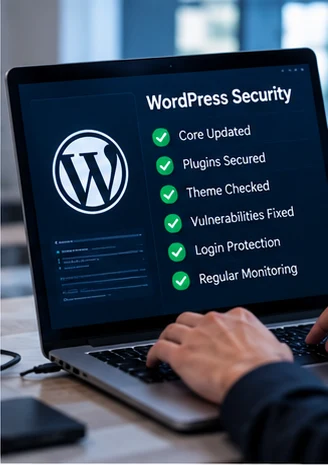
A brochure site, a membership platform and a busy store have different dependencies. The plan should reflect yours.
Protect the access and integrations behind contact forms, bookings and the pages that bring enquiries.

Account roles, publishing workflows and member access deserve attention alongside routine updates.
We can coordinate agreed work with your developer or host and make ownership of the remaining tasks clear.
A clear way forward
Know what is being reviewed, which changes are included and what happens next.
Discuss the setup, your priorities and the access needed. Agree boundaries and deliverables.
Assess the agreed areas and explain which findings need attention first.
Implement included hardening with backups, testing and provider coordination where needed.
Recheck controls and functions. Document completed work, open items and maintenance responsibilities.
The handover connects technical observations to practical decisions for your business.
What was observed, why it matters and the supporting evidence available within scope.
Recommended actions, dependencies and items that need separate approval.
Included work completed, checks performed and remaining limitations.
What your team, host or developer should maintain, monitor or review next.
WORDPRESS SECURITY HANDOVER
WordPress hardening should connect software, access and recovery decisions to each recommended fix.

WHAT THE HANDOVER SHOULD CLARIFY
Clarify extension maintenance and relevant update priorities.
Record administrator permissions and account ownership.
Consider hosting configuration, backups and restore responsibilities.
Prioritize safe fixes, approvals and technical verification.
Illustrative WordPress findings. Not a live scan or guarantee of security.
The proposal defines the work. These distinctions help keep expectations clear.
| Area | Discussed in this service | Agreed separately when needed |
|---|---|---|
| Review and hardening | Agreed checks and the configuration changes listed in your proposal. | Custom development, major rebuilds or work outside the agreed environment. |
| Recovery readiness | Review of backup arrangements and recovery responsibilities. | A restore exercise or production migration if it is not included in the scope. |
| Ongoing care | A documented handover and recommended maintenance priorities. | Recurring monitoring, incident response or a continuing support agreement. |
Start with a focused review or discuss ongoing protection. Scope and quote are tailored to your setup.
For a site that needs a clearer security picture and a defined set of improvements.
For teams that want continuing maintenance, monitoring and clearer responsibilities.
Unexpected redirects, unknown users or a browser warning need an incident recovery conversation.
Before we start
You do not need to gather everything before enquiring. These details help us shape a useful conversation.
Share the URL and what prompted you to look for security help.
Mention bookings, checkout, memberships or integrations that must keep working.
Let us know if a developer, agency or hosting provider already manages part of the setup.
Updates, migrations or unexpected behaviour can help us understand the background.
Practical guides to the WordPress and recovery questions business owners often face.
WordPress security is not the result of installing one plugin. It comes from several layers working together: updates, controlled access, backups, and a clear plan…
A backup is valuable only when it helps restore working services. Build your recovery plan around the website, database, integrations and people the business depends…
Unsure what your site needs? Share the concern and we will help define a suitable next step.
A defined engagement can review core, plugins, themes, access, hosting settings and recovery arrangements. The exact checks, implementation work and handover are agreed before work starts.
Yes. We first discuss how it is used and identify important integrations. Staging, backups, testing and any maintenance window are planned where a change could affect functionality.
No. A URL and a description are enough to enquire. If access is needed later, an appropriate method is arranged after scope and authorization are agreed.
A plugin can support specific controls. Software maintenance, permissions, hosting, backups and recovery planning still need attention. No setup can guarantee that a website is risk-free.
We can discuss these setups. Checkout, member access, payment integrations and changing data need particular care during scoping and verification.
The quote and timeline depend on site size, integrations, access and the work included. Proposed scope and commercial terms are confirmed before starting.
Tell us about the WordPress site and the concern you want to solve. We will discuss practical options, scope and next steps.
No passwords or payment details needed to enquire.
Start with a few details about your website.