Quick answer: Protect WooCommerce checkout from bots with layered controls: monitor suspicious payment and order patterns, use payment-provider fraud tools, apply targeted rate limits and bot challenges to supported checkout paths, secure customer logins, and test every rule against legitimate purchases. Avoid blocking customers based on a single IP address or a generic threshold. Card testing, fake orders, credential stuffing and inventory abuse are different problems; each needs an appropriate response.
Automated traffic is not automatically malicious. Search engines, accessibility tools, inventory systems and legitimate integrations may use automation. The challenge is identifying behavior that threatens payments, customer accounts or store availability without introducing unnecessary checkout friction. This guide focuses on safe, practical prevention and response for store owners, rather than instructions for bypassing fraud controls.
Understand the kinds of checkout abuse
Card testing occurs when someone uses a checkout or payment form to test whether stolen payment credentials are valid. The pattern may include many failed authorizations, small transactions or repeated attempts with changing card details. Fake orders may be placed to consume staff time, abuse coupons, reserve inventory or trigger notifications. Credential stuffing uses leaked username-password combinations to attempt customer-account access. Inventory and coupon abuse can involve scripted cart additions, discount attempts or reservations.
These categories overlap, but their defenses are not identical. A rule that limits failed payment attempts may help with card testing but will not necessarily prevent account takeover. CAPTCHA on checkout may discourage some automated submissions but cannot identify every fraudulent human purchaser. A gateway’s fraud model may detect payment risk while missing a bot that only adds products to carts. Start by defining the actual harm and the endpoint involved.
WooCommerce’s card-testing guidance recommends reviewing suspicious transactions, working with payment providers and considering layered bot protections. It also cautions that no fraud prevention system is perfect.
Recognize suspicious patterns without jumping to conclusions
Look for repeated failed payment attempts, spikes in low-value orders, unusually rapid submissions, large volumes of abandoned checkouts, many new accounts with similar characteristics or repeated use of a payment method endpoint. Review timing, customer support reports, gateway decline codes, checkout logs and server resource consumption together. A promotion, a broken integration or a payment outage can produce some of the same symptoms.
Do not assume that a large number of failed orders proves card testing. A misconfigured gateway can fail legitimate transactions. A single IP address may serve many buyers behind a mobile carrier, corporate network or VPN. Conversely, abusive traffic may arrive from many distributed addresses. Use multiple signals and seek confirmation from the payment provider where relevant.
Keep a baseline of normal order volume, payment success rates, common countries, peak hours and legitimate repeat-buyer patterns. The goal is not to collect excessive personal information; it is to recognize meaningful deviations. Avoid storing raw card numbers, full payment tokens or passwords in logs. If a security vendor supplies a fraud score, review what it means and whether the score applies to your specific gateway.

Start with the payment provider’s fraud controls
Payment gateways often have specialized knowledge of authorization outcomes and payment abuse that the WordPress application does not. Review the tools available in your actual gateway: risk screening, transaction velocity checks, card verification, 3-D Secure or other authentication where applicable, dispute alerts and configurable rules. Some controls may be enabled automatically; others require setup, paid features or support approval. Confirm the provider’s current documentation rather than assuming every WooCommerce store has the same protection.
For example, WooPayments documents its fraud-prevention features, while PayPal Payments documents endpoint-specific bot protections. Those controls are tied to particular integrations and may not cover a different gateway, custom headless checkout or every saved-card flow. Ask the provider how to respond to active card testing and whether additional rate limits can be applied without breaking legitimate authorizations.
Use provider guidance for refunds and disputes. If you discover suspicious completed transactions, review them promptly and coordinate with the gateway. Do not automatically refund every unusual order without checking the evidence, and do not assume refunded transaction fees will always be returned. Document what was confirmed, what remains uncertain and who approved the response.
Tell us about your website and the security concerns you want to address.
Talk to Defendoria ↗Use rate limiting at the correct layer
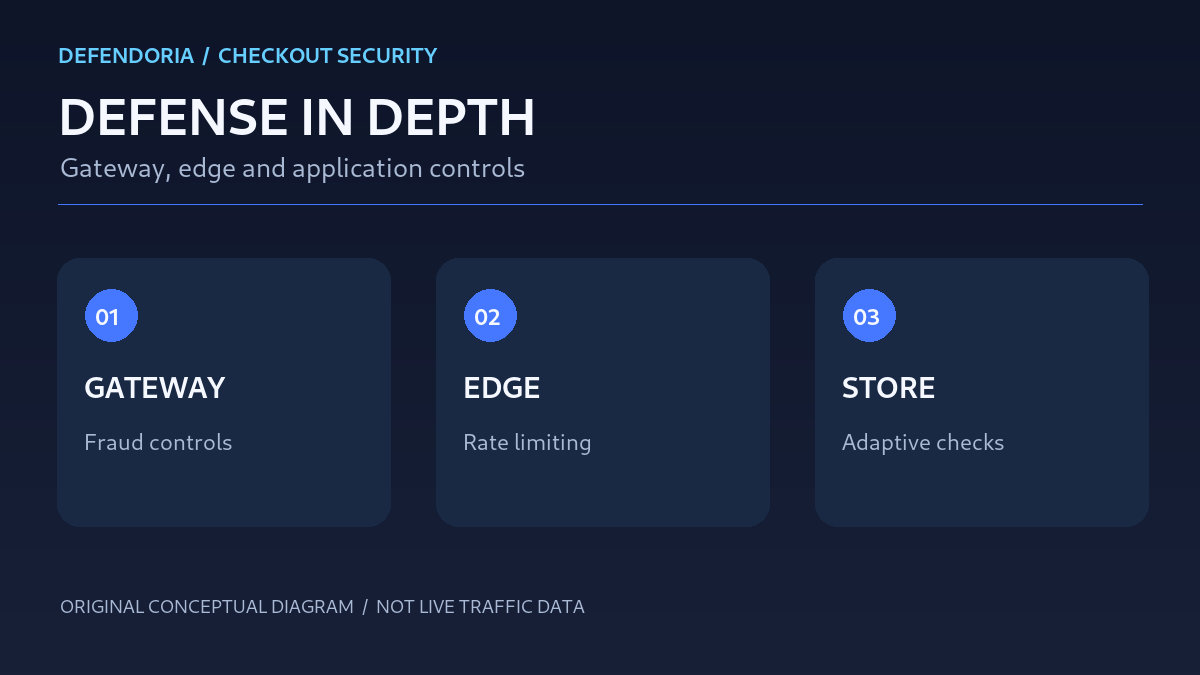
Rate limiting can reduce automated abuse by controlling how frequently requests are accepted. It may be implemented at a CDN or WAF, web server, application or payment integration. The appropriate location depends on the endpoint: login, registration, checkout submission, payment-method addition, coupon validation or API-based order creation. A blanket rule for the entire site can block product browsing, accessibility tools or legitimate traffic during promotions.
Start with observation and a small set of high-confidence rules. Consider request patterns, session context, authentication state and payment outcomes rather than relying only on an IP address. Use temporary limits and clear escalation paths when possible. Avoid exposing exact internal thresholds publicly, since those settings may be sensitive and change as traffic patterns evolve. A customer should have a reasonable path to recover from a false block.
When a gateway handles payment requests directly, a website-level rule may not cover all authorization attempts. Conversely, a payment-provider rule may not protect a custom order endpoint. Map each checkout flow before claiming coverage. Review edge logs and gateway reports together to see where suspicious attempts are stopped and where they continue.
Apply bot challenges selectively
CAPTCHA and similar challenges can make some scripted submissions harder, but they add friction and can create accessibility problems. Prefer a challenge that is compatible with the store’s checkout architecture and can be applied selectively to suspicious activity. Test keyboard navigation, screen-reader behavior, mobile devices and slow connections. Avoid putting a challenge where it prevents a legitimate buyer from completing a payment.
Check whether the protection supports the Checkout block, classic shortcode checkout, express wallets, saved payment methods, pay-for-order pages and any headless storefront. A challenge visible on the ordinary checkout page may not protect a separate API route or wallet button. Read the extension’s actual coverage and verify it on staging rather than assuming a single checkbox protects every flow.
Some attackers use human operators or automation that can complete challenges. Therefore, CAPTCHA should complement payment controls, rate limiting and monitoring. It is not a fraud verdict and should not be used to accuse an individual customer.
Consider the WooCommerce fraud-prevention feature’s availability
WooCommerce has documented a fraud-prevention feature for eligible WordPress.com stores on WP Cloud. Its documentation states that the feature is not yet available on other hosting platforms. That distinction matters: a self-hosted WooCommerce merchant should not assume the same settings exist in its dashboard. Availability and rollout details may change, so verify against the current official documentation and your hosting environment.
Where the feature is available, review recorded attempts and false positives before enabling automatic blocking. The documentation describes evaluation and blocking as separate settings, with supported checkout flows and exceptions. Where it is unavailable, consider supported gateway tools and reputable compatible extensions, but review the data collected, vendor, maintenance and false-positive behavior before installation. Do not imply that an extension provides the same protection as a different provider’s system.
Protect customer accounts as well as payments
Credential stuffing targets accounts using passwords exposed in unrelated breaches. An attacker who takes over a customer account may view personal details, misuse saved payment methods where allowed, or redeem stored value. The OWASP explanation of credential stuffing distinguishes it from simple password guessing and highlights the risk of reused credentials.
Use rate limiting and suitable bot defenses for customer login and password reset. Encourage unique passwords and consider appropriate MFA or risk-based authentication where supported. Protect administrative and Shop Manager accounts more strongly because they can affect many orders and customers. Avoid forcing the same high-friction challenge on every buyer if a less disruptive defense is effective. Review suspicious password-reset spikes and unusual account changes without assuming every failed login is malicious.
See Defendoria’s WooCommerce staff-account security guide for privileged access controls. Customer accounts require their own design and privacy considerations.
Do not overlook saved cards, subscriptions and alternative payment flows
A store may support payment-method addition from My Account, subscription renewals, express wallets, payment links and pay-for-order pages. These paths can use different endpoints from ordinary checkout. Some fraud extensions explicitly provide separate controls for saved-card or payment-method addition. If a merchant sees unusual payment attempts but few failed WooCommerce orders, investigate these other flows with the gateway.
Test protections for the exact payment methods customers use. Apple Pay, Google Pay, PayPal and tokenized card flows may behave differently. Subscription renewals may occur without a shopper actively completing a CAPTCHA. Blocking renewal callbacks or payment notifications can create failed orders, duplicate retries or customer-service problems. Map and test every important route before deploying a broad rule.
WooCommerce’s Anti-Fraud documentation describes checkout and payment-method protections as distinct settings and recommends testing wallets, checkout types, renewals and API-created orders after configuration changes. Use the documentation for the specific product and version installed on your store.
Respond safely during an active bot or card-testing incident
First confirm what is happening: payment failures, completed suspicious transactions, high server load, fake accounts or an integration error. Capture relevant timestamps, gateway reports and sanitized logs. Contact the payment provider if card testing appears likely, since it may be able to apply controls unavailable at the website layer. Coordinate with the host or WAF provider if traffic is overwhelming the site. Avoid publishing detailed attack indicators or customer payment data.
Apply targeted temporary mitigations rather than disabling the entire store reflexively. Depending on the evidence, this could include restricting a specific abused endpoint, enabling an approved challenge, adjusting gateway fraud rules, or temporarily pausing a particularly abused low-value product. Make changes one at a time when feasible so the team can determine what worked. Monitor legitimate payment success rates and customer support messages immediately afterward.
Review potentially fraudulent completed transactions and refund or dispute them according to payment-provider guidance and applicable rules. If unauthorized customer-account access or data exposure is suspected, move to a formal incident-response process. A bot attack does not automatically mean customer data was stolen, but it may coexist with account compromise or a vulnerable extension.
Avoid false positives that cost real orders
Fraud controls create a trade-off: stricter blocking may stop more abuse but can also reject genuine customers. Repeat wholesale buyers, shared office networks, travelers and customers using assistive technology can look unusual to automated systems. Evaluate rules against real store patterns, not arbitrary universal thresholds. Review the reason a legitimate customer was blocked and create narrow, documented exceptions where supported.
Do not permanently allowlist broad IP ranges or disable every control for an entire country without considering risk. Prefer the smallest exception that resolves a verified false positive. If the protection uses email or account-based rules, ensure those identifiers are not trivially spoofed and that exceptions cannot be abused. Monitor exceptions over time and remove them when no longer needed.
Offer a monitored support contact when checkout is blocked. A neutral error message should not accuse the customer of fraud. Support staff need a safe procedure to identify the affected attempt and help the buyer without collecting raw card details over email or chat.
Test on staging before changing live checkout rules
Make a restorable backup and use a representative staging environment. Test an ordinary low-risk order, a declined payment in the gateway’s test mode, guest checkout if enabled, account checkout, express wallets, saved payment methods, subscriptions and pay-for-order links where relevant. Confirm that the gateway’s callbacks reach WooCommerce and that order statuses are correct. Use provider-approved test cards or sandbox methods, not real stolen or third-party payment credentials.
Inspect whether the new control blocks a normal user, whether it logs the expected decision and whether it can be rolled back quickly. Test on mobile and with accessibility tools. After deployment, watch payment success rates, customer complaints, failed scheduled actions and gateway alerts. A successful page load is not enough; the full order journey must work.
Record the rule change, owner, time, expected benefit and rollback method. If a vendor manages the fraud service, confirm how to reach support during a live incident. Keep the configuration documented so future maintainers can understand why a threshold was chosen.

Measure whether protection is actually helping
Track meaningful outcomes rather than just the number of blocked requests. Useful measures include suspicious payment attempts reaching the gateway, confirmed card-testing incidents, legitimate checkout success, false-positive complaints, payment-related support tickets and server resource consumption. A drop in blocked traffic may mean attacks decreased, but it can also mean logging stopped or attackers shifted endpoints. Correlate multiple sources before declaring success.
Separate monitoring by checkout type and payment method when possible. A rule that protects card checkout but breaks subscription renewals may produce misleading aggregate numbers. Review patterns after promotions and major plugin updates. If you change several controls at once, document the sequence so an unexpected conversion drop can be investigated.
Common mistakes to avoid
Blocking entire countries or networks: This can reject legitimate buyers and may not stop distributed abuse. Installing multiple overlapping fraud plugins: Competing hooks and challenges can break checkout or create confusing decisions. Assuming CAPTCHA solves payment fraud: Human fraudsters and other payment paths can bypass that assumption. Ignoring gateway tools: The provider may have more useful payment-level signals than the website.
Setting aggressive thresholds without a baseline: Busy stores and wholesale customers can trigger false positives. Ignoring saved-card and pay-for-order routes: Abuse may continue outside standard checkout. Disabling protections permanently after one false block: Investigate and tune instead. Publishing sensitive logs: Payment and customer information must be handled securely. A careful layered approach is more durable than a single emergency switch.
A practical protection checklist
- Identify the specific abuse pattern and which checkout endpoints it reaches.
- Review payment gateway fraud tools and current provider guidance.
- Collect sanitized baseline metrics for legitimate and suspicious attempts.
- Apply targeted rate limits and compatible bot challenges where justified.
- Protect customer logins, registration and password-reset flows separately.
- Test wallets, subscriptions, saved cards and payment callbacks on staging.
- Monitor false positives and give blocked customers a support path.
- Document incident contacts, rollback steps and ongoing review ownership.
Frequently asked questions
Does WooCommerce automatically block checkout bots?
Protection depends on the store’s hosting, payment gateway and installed features. Some WooCommerce fraud-prevention functionality is limited to eligible WordPress.com WP Cloud stores, while payment integrations and third-party tools have their own coverage. Check your actual configuration rather than assuming universal protection.
Will CAPTCHA stop card testing completely?
No. It may discourage automated submissions, but human-assisted abuse and alternative payment routes can still occur. Combine appropriate challenges with gateway fraud controls, rate limiting and monitoring.
Why am I seeing many failed orders?
Possible causes include card testing, gateway outages, misconfiguration, insufficient funds, ordinary payment declines or integration errors. Compare timestamps, gateway reports and checkout logs before attributing failures to attackers.
Should I block an IP address with suspicious activity?
A targeted temporary block may be appropriate for confirmed abuse, but IP addresses are often shared and can change. Avoid treating one address as conclusive proof and monitor whether legitimate buyers are affected.
Does turning off guest checkout prevent bot attacks?
It may change the abuse pattern but does not eliminate automation. Requiring accounts adds friction for legitimate buyers and creates a registration and login surface that also needs protection. Evaluate the business trade-off.
Can a WAF replace payment gateway fraud controls?
No. A WAF can filter certain web requests, while payment providers can assess authorization and transaction risk. Their coverage differs, so use them as complementary layers where appropriate.
What should I do first if card testing is happening now?
Confirm the pattern, preserve sanitized evidence, contact the payment provider, review suspicious transactions and apply approved targeted mitigations. Monitor legitimate checkout immediately after changes and coordinate refunds or disputes through the provider.
Next step: protect checkout without sacrificing customer experience
Checkout protection works best when it is matched to the actual payment architecture and tested against normal customer behavior. Defendoria’s WooCommerce security service and WooCommerce security audit checklist describe related review areas. You can contact Defendoria about an authorized assessment without sharing card data or customer exports in the form.
Primary references:WooCommerce Card Testing Response; WooPayments Fraud Prevention; PayPal Payments Fraud Protection; WooCommerce Fraud Prevention Availability; WooCommerce Anti-Fraud Documentation; OWASP Credential Stuffing.
This is general educational guidance, not a security assessment of a specific website. Obtain authorization before any technical testing.